See it in action!
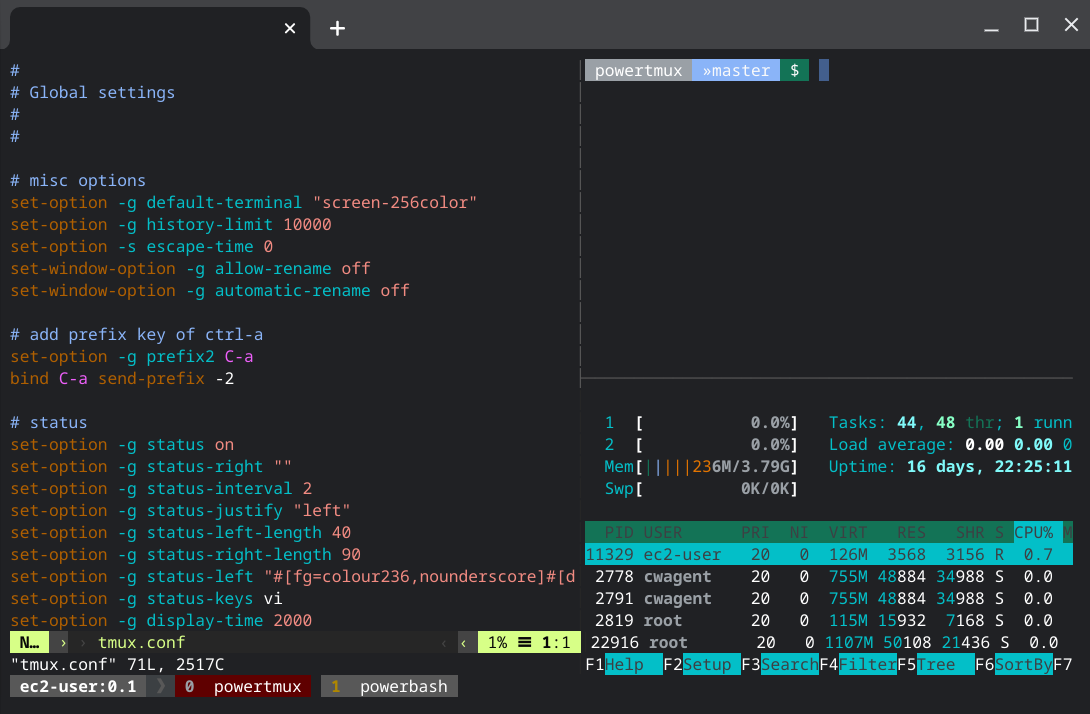
A powerline-style tmux configuration with a true-color status bar, sane defaults, and a Go CLI to manage it. Pairs great with powerbash.
Get startedHomebrew is the recommended way to install — it ships the powertmux CLI and tmux.conf together.
brew install powertmux/powertmux/powertmuxInstalls the powertmux binary. Run powertmux install afterward to place tmux.conf at the standard XDG path.
# global
cp tmux.conf /etc/tmux.conf

# user
cp tmux.conf ~/.tmux.conf
Or copy it to ~/.config/tmux/tmux.conf (XDG path), also picked up by the reload bind.
go build .
# or
make build
Requires Go. Produces the same powertmux CLI Homebrew installs.
A drop-in tmux.conf, a small Go CLI, and nothing else to install.
The powerline style pairs great with powerbash.
Styled, true-color (hex) status bar and window tabs, with the current window highlighted.
powertmux attaches to your session; powertmux install/uninstall manage the config.
Global, per-user, or XDG — via Homebrew or by hand, however you like to manage dotfiles.
Got issues or suggestions? Reach out.
Check out the GitHub Repository.
napalm255